


About Morrow & Made
Thoughtful tools for what comes next.
Morrow & Made makes calm, practical planning tools for life's bigger plans. Our first collection starts with the wedding.

Know what's booked, what's paid, and what needs attention. One connected workbook for your budget, guests, vendors, payments and tasks.
Google Sheets & Excel · Blank plan plus a filled example · Instant download





Most budgets blur what you expect to spend, what you've signed for and what you've actually paid. The workbook keeps them apart, so you always know what's left.
What the example currently expects to spend.
What the example has booked with vendors.
What the example has recorded as paid.
Figures from the fictional example workbook, in USD.

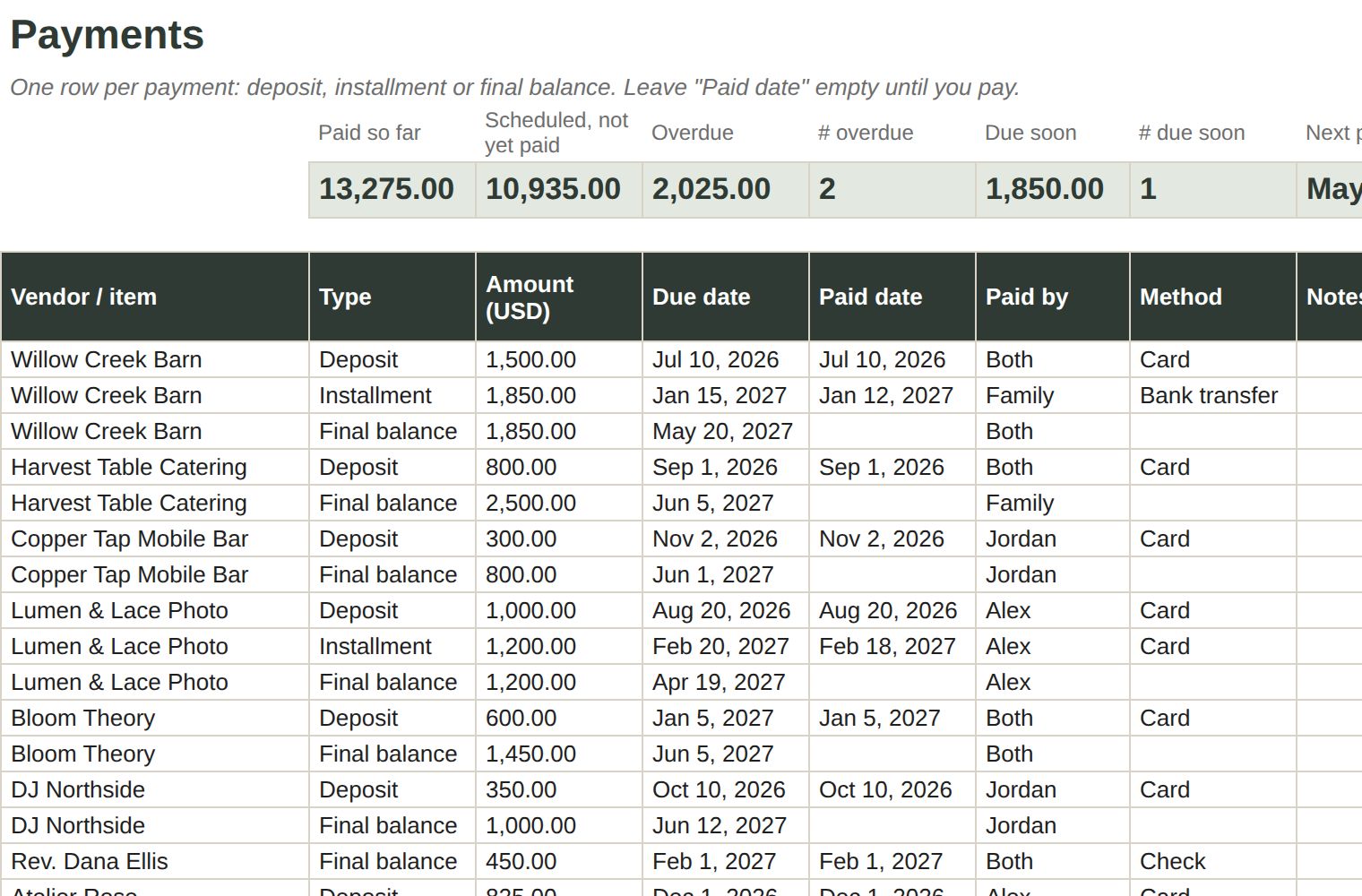
Add each deposit, installment and final balance with its due date. The workbook marks what's paid, upcoming, due soon or overdue, and the Dashboard shows the next payment.
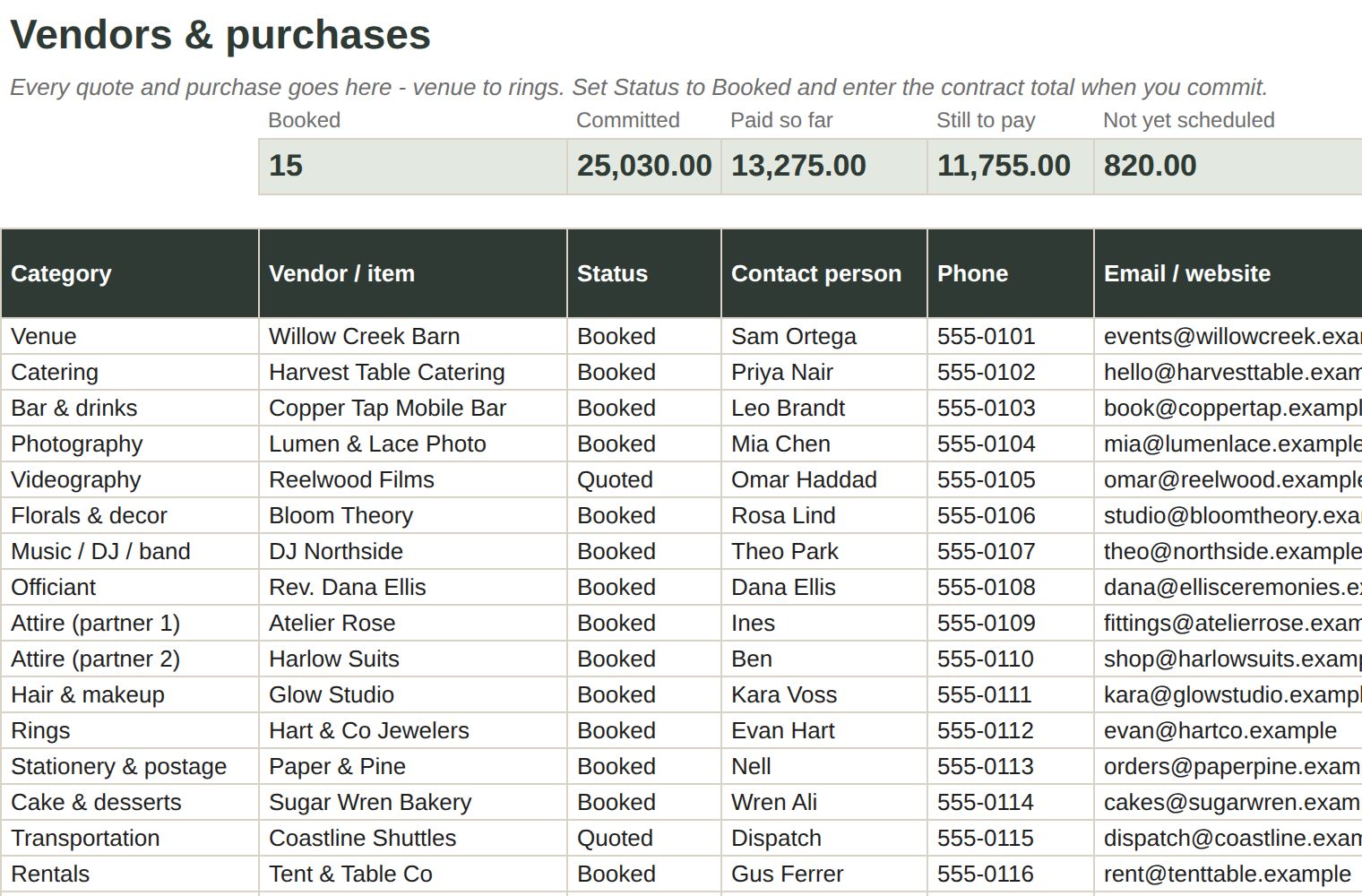
Keep contacts, contract totals and booking status together. Payment totals roll up from the Payments tab automatically.
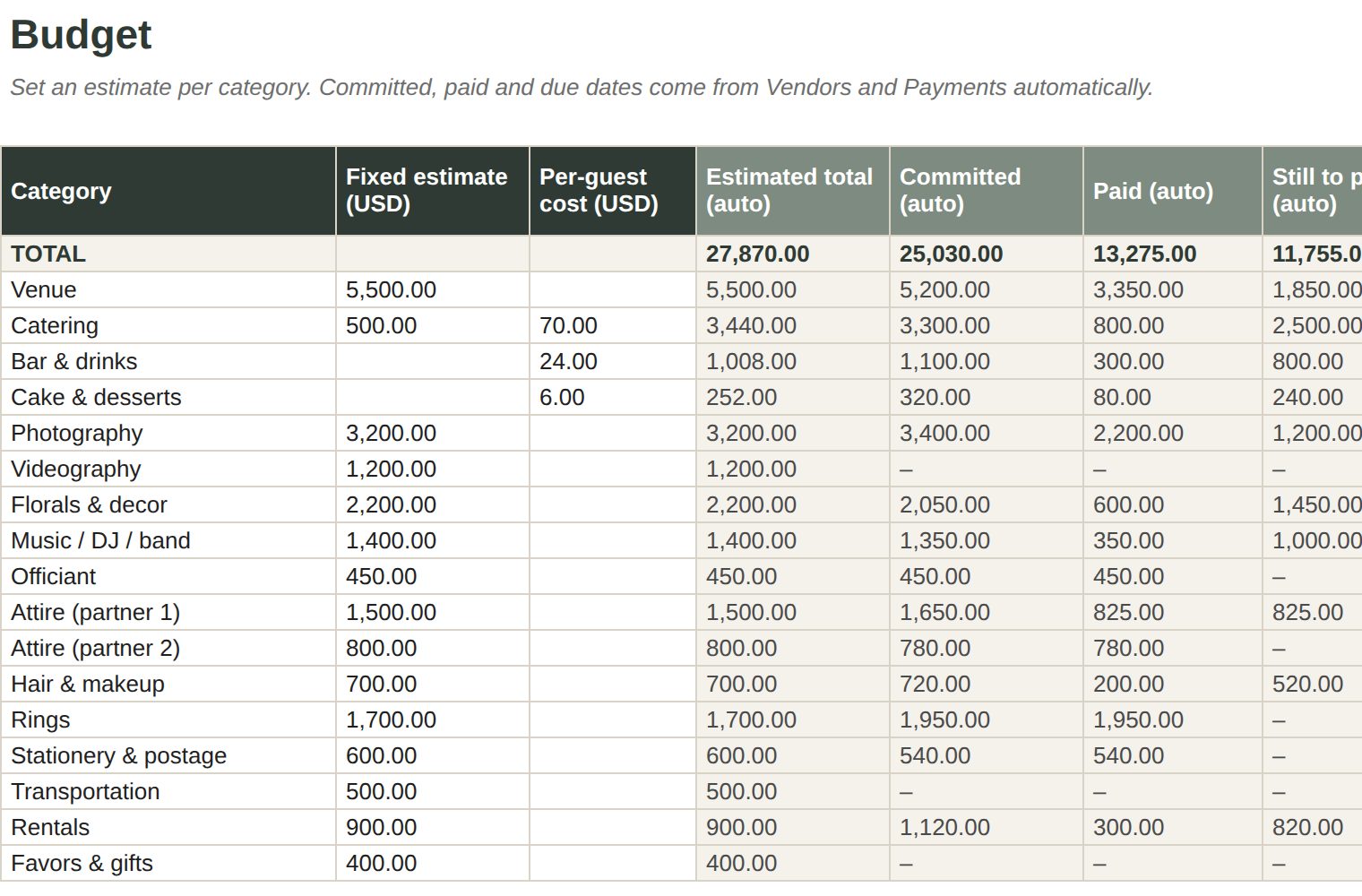
Start from 20 common categories, add your own, and compare each estimate with what you've committed and paid.
Track households, plus-ones, RSVPs and meal choices for up to 300 guests. A starter list of 48 tasks moves with your wedding date, and the Wedding Day tab holds your schedule and final-week details.
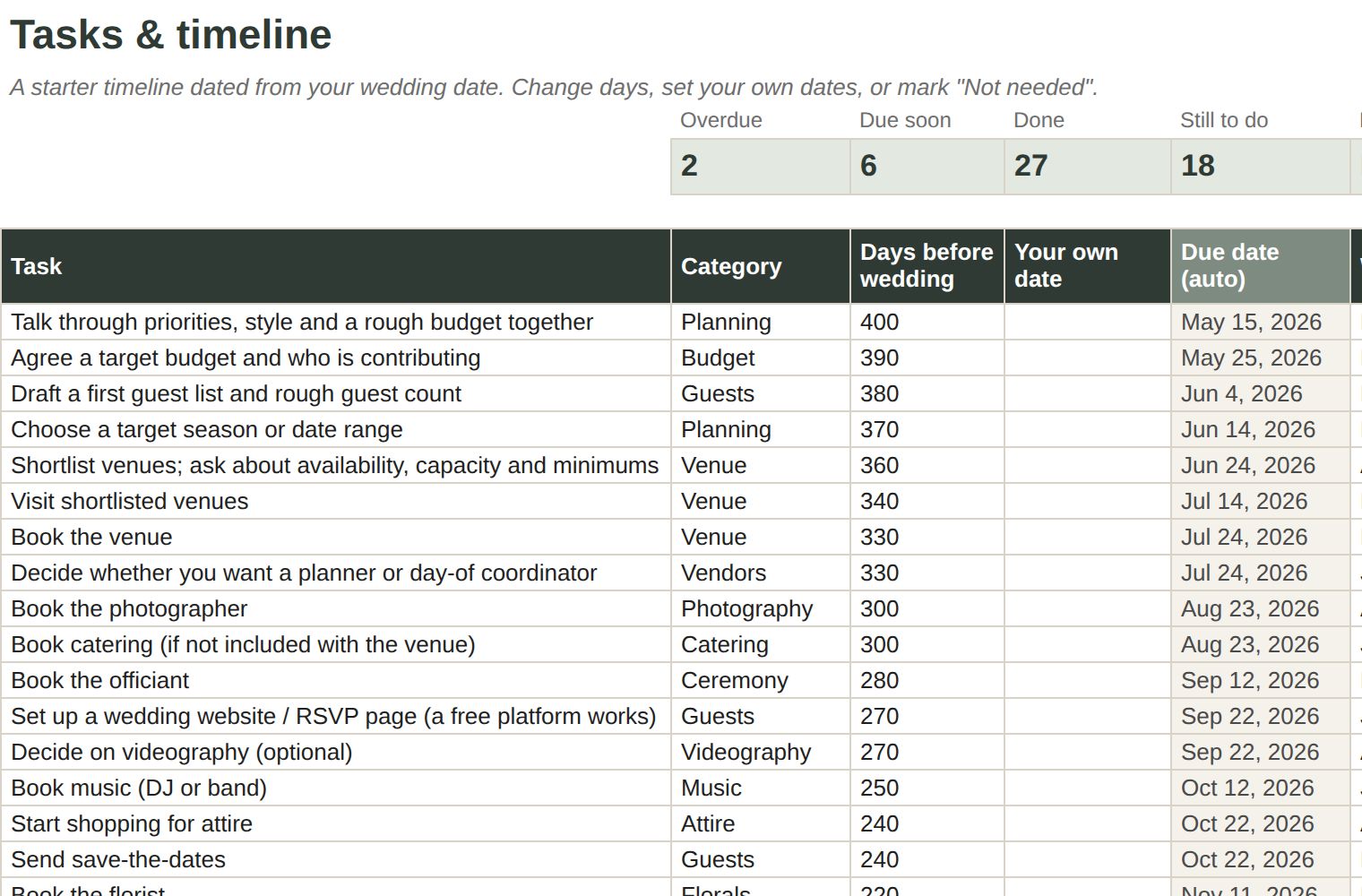
All images are rendered from the included example workbook. Names and amounts are fictional.


Download and open the Excel files, or upload the Google Sheets version to your Google Drive.
Open the filled example and read Start Here to see how everything connects.
Open your blank copy, set your date and budget, then add vendors, payments and guests.
Totals and warnings update from what you enter, so you can see what needs attention.
You enter and maintain the information. The workbook does not connect to your bank, import RSVPs from a wedding website or send email reminders.
Pay once and download it right away. No subscription.
Get the workbookSecure checkout by Payhip. Card payments processed by Stripe. See our refund policy.

Google Sheets and Excel for the web have been tested. In Excel for the web, move between sections with the sheet tabs at the bottom; the Start Here shortcut links don't work there. Recent desktop Excel should open the files, but we haven't manually tested it yet. Excel 2016 and Apple Numbers aren't supported.
It's designed for planning on a laptop or desktop. You can view it in the Google Sheets or Excel mobile apps, but editing on a small screen is not the intended experience.
Totals, statuses and warnings update from the information you enter. You record payments yourself. The workbook doesn't sync with your bank or wedding website, import RSVPs, or send email or push reminders.
Yes. Use the sharing settings in Google Sheets or Excel to invite your partner or family. Only share with people you want to see your planning details.
Yes. Change the currency label in Settings and enter every amount in that currency. The workbook doesn't convert exchange rates.
Right after checkout you'll get a download link on screen and by email. The download is a ZIP file with the Excel and Google Sheets versions and the setup guide.
$34 USD, paid once. There's no subscription, and any sales tax is shown at checkout.
No. It's a digital organizing tool. Wedding planning services, calls, coaching and custom spreadsheet work aren't included. Your vendor contracts always decide what you actually owe.
Email morrowandmade@yahoo.com and we'll help. If the files don't work as described and we can't fix it, you can ask for a refund within 7 days. See the refund policy.

Morrow & Made makes calm, practical planning tools for life's bigger plans. Our first collection starts with the wedding.